Discover products and logistics
Search by keyword or image, inspect supplier products, compare logistics by country, and monitor supplier-product changes.
search_supplier_productsget_supplier_productlist_supplier_product_shipping_methods_and_costConnect supplier research, listing preparation, catalog changes, order workflows, and delivery tracking to one authenticated MCP server. Tool access follows your DSers plan, account permissions, and the controls provided by your AI client.
REMOTE MCP ENDPOINT
https://ai.dsers.com/mcp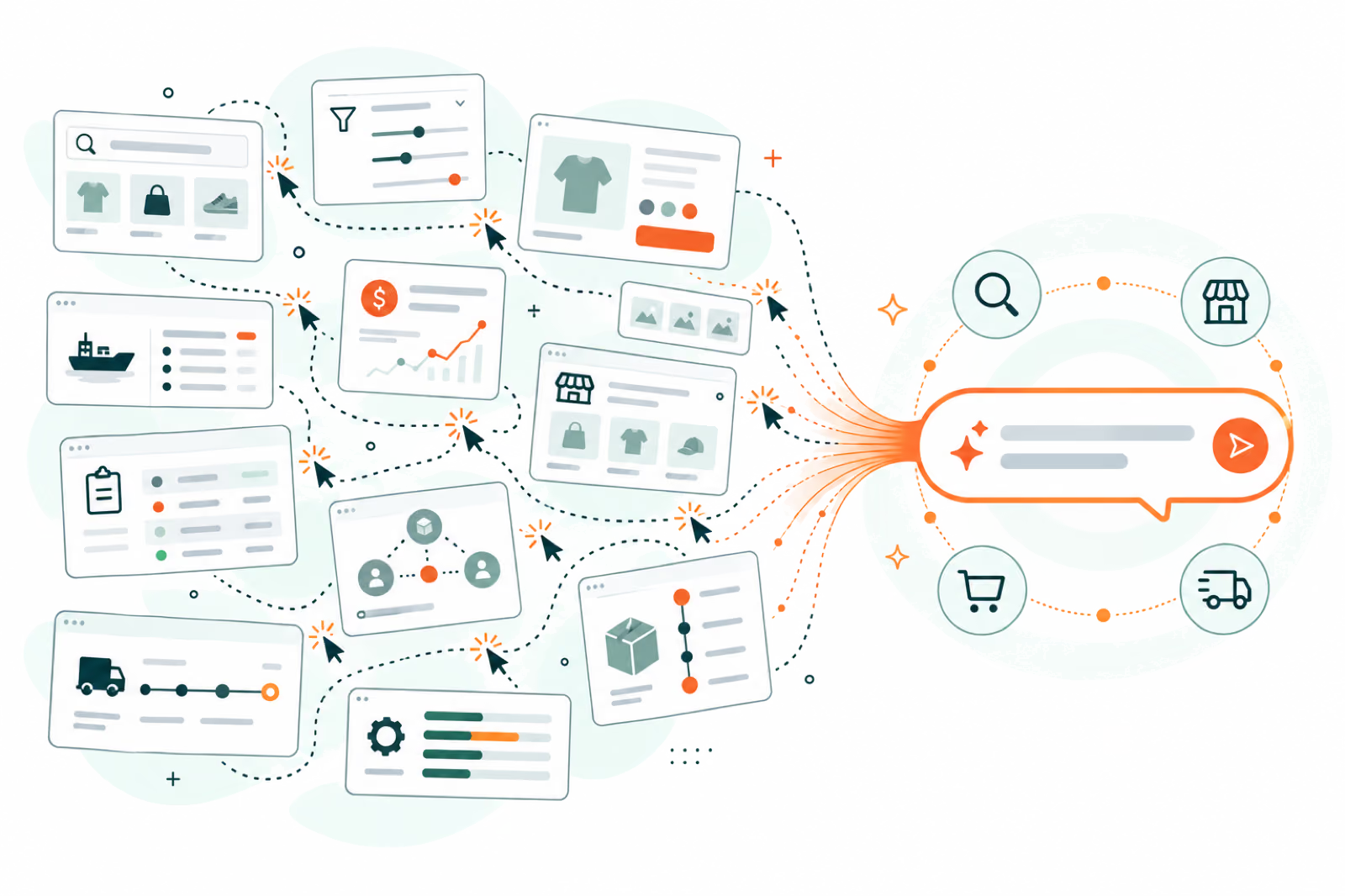
01 / A connected workspace
One authenticated operating layer between a compatible AI client and the DSers workflows attached to your account.
AI CLIENTDSERS MCPDSERS ACCOUNTYour client turns a natural-language request into supported DSers tool calls.
DSers supplies store, product, mapping, pricing, order, package, plan, and permission context.
Tool descriptions for selected billable or irreversible actions instruct the AI client to request confirmation. The approval experience depends on the client.
The DSers dashboard remains your visual workspace. MCP adds a conversational path through the same operation.
02 / Operational tool surface
Each capability starts with DSers account context, returns structured results, and follows the permissions and plan access attached to the connection.
Search by keyword or image, inspect supplier products, compare logistics by country, and monitor supplier-product changes.
search_supplier_productsget_supplier_productlist_supplier_product_shipping_methods_and_costCreate import-list products, then edit content, images, options, variants, prices, organization, and categories before launch.
create_pre_publish_productsget_pre_publish_productupdate_pre_publish_product_contentConnect or reauthorize stores, create Shopify shipping profiles, resolve logistics choices, and publish through tracked jobs.
start_store_connectioncreate_shopify_shipping_profilepublish_products_to_storesInspect live products, update price or stock, import store products, and manage Basic, Advanced, or AI-assisted supplier mappings.
search_store_productsupdate_managed_store_productapply_product_mappingValidate addresses and blockers, update order details, place or cancel supplier orders, and create user-completed payment flows.
validate_order_addressplace_orders_to_supplierscancel_supplier_orderInspect package events, refresh supplier tracking, synchronize or replace store tracking numbers, and send buyer notifications.
get_package_detailsupdate_tracking_numbers_to_storesend_buyer_tracking_notificationAUTH
The server works within the permissions approved for the connected DSers account.
CONTEXT
Store, currency, pricing, shipping, product, order, and plan context can travel between supported steps.
CLIENT
Selected tool descriptions instruct the AI client to confirm high-impact actions; DSers does not add a universal server-side confirmation gate.
JOBS
Publishing, ordering, mapping, and bulk updates expose progress, warnings, and final outcomes.
LIVE CAPABILITY INDEX
Retrieved from the official MCP endpoint on 18 September 2026. Read tools inspect account-owned data; write tools act within the connected account’s permissions, plan access, and daily usage limits.
Profile, permissions, subaccounts, plan benefits, AI credits, billing history, and payment-link records.
get_account_profileREADGet Profileget_plan_and_creditsREADGet Plan Benefits & AI Creditsget_plan_and_credit_billingREADSearch Billing Historyget_order_paymentlink_and_billingREADSearch BillingDiscover stores and supplier apps, connect or reauthorize stores, manage Shopify shipping profiles, and inspect or update Pricing Rules.
list_storesREADDiscover Stores and Supplier Appsstart_store_connectionWRITEStart Connectionstart_store_reauthorizationWRITEReauthorize Connectionrecommend_apps_to_installREADRecommend Appslist_shopify_shipping_zonesREADList Shipping Zonescreate_shopify_shipping_profileWRITECreate Shipping Profileget_pricing_ruleREADGet Store Ruleupdate_pricing_ruleWRITEUpdate Store Rulelist_supported_countriesREADList CountriesSearch by keyword or image, inspect products and collections, compare logistics, and follow supplier-product changes.
list_supplier_search_filtersREADGet Search Filter Optionslist_featured_product_collectionsREADGet Product Ideassearch_supplier_productsREADSearch by Keyword or Imageget_supplier_productREADGet Product Detaillist_supplier_product_shipping_methods_and_costREADGet Freight Quoteslist_platform_shipping_methodsREADList Logistics by Countrylist_supplier_product_change_notificationsREADSupplier Product ChangesCreate and browse pre-publish products; review versions, content, pricing, organization, categories, and destructive deletions.
create_pre_publish_productsWRITEAdd Productslist_pre_publish_productsREADSearch Listget_pre_publish_productREADGet Item Detailget_pre_publish_product_organizationREADGet Organization & Category Choicesupdate_pre_publish_product_content• WRITEUpdate Product Contentupdate_pre_publish_product_organizationWRITEUpdate Organization & Categoryupdate_pre_publish_product_price• WRITEUpdate Product Pricesdelete_pre_publish_products• WRITEDelete ProductsResolve product-level logistics choices and publish one or more import drafts to selected stores.
get_push_shipping_recommendationREADGet Matched Product Logisticspublish_products_to_stores• WRITEPush Products to StoreInspect or update managed products, simulate and apply prices, import store products, and run Basic, Advanced, or AI-assisted supplier mapping workflows.
list_managed_store_productsREADBrowse Managed Productsget_managed_store_productREADGet Detailsearch_store_productsREADSearch Store Productsimport_store_products_to_dsersWRITEImport from Storeget_store_product_mappingREADGet Mapping Detailapply_product_mapping• WRITEUpdate Variant Mappingsearch_ai_mapping_candidatesREADFind AI Mapping Candidatesstart_ai_product_mapping• WRITECreate AI Mapping Taskapply_ai_mapping• WRITEApply AI Mapping Resultsimulate_pricing_ruleREADCalculate Price by Pricing Ruleupdate_managed_store_product• WRITEUpdate Price or Stockupdate_store_product_price_in_bulk• WRITECreate Manual Store Price Update TaskRead orders, validate blockers and addresses, update details or suppliers, place or cancel supplier orders, and start payment flows.
list_ordersREADBrowse Ordersget_orderREADGet Detaildiagnose_order_issueREADValidate Issuesvalidate_order_addressREADValidate Addressupdate_order_information• WRITEUpdate Detailsupdate_order_supplier• WRITEEdit Supplierplace_orders_to_suppliers• WRITEPlace Orders with Suppliercancel_supplier_order• WRITECancel Supplier Orderscreate_order_payment_link• WRITEStart Payment Flowupdate_supplier_orderWRITERefresh Supplier DetailsBrowse packages, inspect tracking events, refresh supplier tracking, synchronize or replace store tracking numbers, and send buyer notifications.
list_packagesREADBrowse Packagesget_package_detailsREADGet Eventssync_supply_order_tracking_numberWRITERefresh Trackingsync_existing_tracking_numbers_to_store• WRITESync Existing Numbers to Storeupdate_tracking_numbers_to_store• WRITEUpdate Numbers to Storesend_buyer_tracking_notification• WRITESend Tracking EmailFollow asynchronous tasks and locate a DSers feature entry only when no dedicated business tool covers the request.
get_job_statusREADGet Task Statusfind_feature_entryREADFallback Feature Search03 / Put it to work
Research candidates, compare freight, and prepare selected listings before deciding what to publish.
Search for compact desk accessories, compare the available product details and US freight quotes, and prepare two candidates in my import list for review.
Inspect the current product and compare mapping candidates before changing the supplier relationship.
Review this product’s supplier mapping. Compare visual alternatives by product fit, price, freight, and ratings, then show me the proposed mapping before applying it.
Inspect the existing pricing rule, simulate outcomes, and prepare a defined bulk update.
Simulate my pricing rule for these products. Show the proposed selling prices and prepare a price update for the stores I select.
Resolve each store’s context and publishing choices, then track the publication job.
Prepare these listings for my selected stores. Show the category and shipping choices for each store before publishing, then check the job result.
Find the affected orders, diagnose placement issues, and prepare eligible supplier-order actions.
Review my awaiting-order items, explain the placement blockers, and show which supplier orders are ready for my approval.
Inspect package exceptions and decide which tracking updates or buyer notifications to request.
Show packages with delivery exceptions, inspect their tracking details, and prepare a refresh for the packages I select. Show any proposed Shopify buyer notification before sending.


04 / How it works
Identify the products, stores, orders, or packages you want the agent to work with.
The agent uses available tools to inspect records, settings, mappings, and permissions needed for the task.
For selected billable or irreversible tools, follow the approval prompt when the client shows one. DSers does not add a universal server-side confirmation gate.
DSers carries out the requested workflow within the connected account’s access and selected scope.
For asynchronous tasks such as publishing, supplier ordering, AI mapping, and bulk price updates, the agent can check progress, warnings, and the final outcome.
05 / Context & control
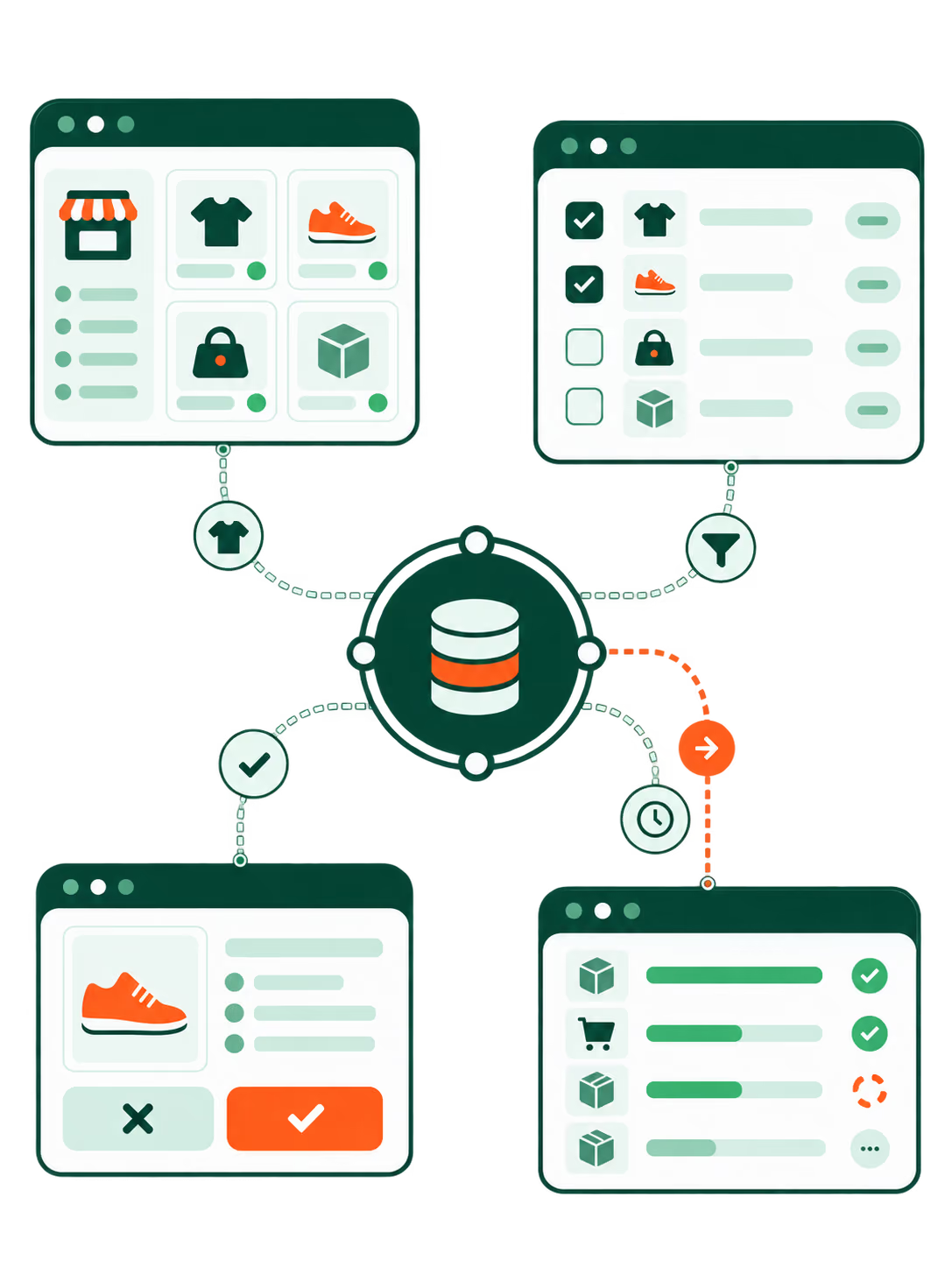
A product research task can continue into listing preparation and publishing with the relevant supplier, product, and store context available to the agent.
Select the stores, products, orders, or packages involved in a batch operation rather than leaving the intended scope implicit.
The descriptions for supplier ordering, supplier-order cancellation, payment-link creation, and buyer notifications instruct the AI client to ask for confirmation. DSers does not add a universal server-side confirmation gate.
An accepted request is not necessarily a finished task. Progress, warnings, and outcome information help you understand what happened after an operation starts.
OAuth links the client to DSers without asking you to generate or maintain an API key, and operations remain subject to the account’s approved access and plan limits.
06 / Two ways to work
The dashboard provides a visual control center. DSers MCP provides conversational access to supported workflows. Choose the interaction that fits the task while keeping DSers as the operational system.
| Task | DSers dashboard | DSers MCP |
|---|---|---|
| Start work | Navigate the visual workspace | Describe the task in a compatible AI client |
| Inspect information | Review information through the dashboard | Ask the agent to retrieve supported account and business data |
| Connect several steps | Use the relevant dashboard workflows | Ask the agent to coordinate supported tool calls with shared context |
| Make important changes | Use the available dashboard controls | Use the approval controls provided by the AI client for the selected tool |
| Check an asynchronous MCP operation | Continue using the dashboard as your visual workspace | Ask the agent for job progress, warnings, and results |
07 / Complete setup reference
Use the same official endpoint everywhere. The client opens DSers OAuth when authentication is required; do not paste API keys, store tokens, browser cookies, or Authorization headers.
SERVER URL
https://ai.dsers.com/mcpTRANSPORT
Remote HTTP / Streamable HTTPAUTH
OAuth 2.1 + PKCEremote connectorDSers and URL https://ai.dsers.com/mcp.On Team or Enterprise plans, an organization owner may need to add the connector first.
CLIclaude mcp add --transport http dsers https://ai.dsers.com/mcpRestart Claude Code. The first DSers tool call opens OAuth in your browser. Remove later with claude mcp remove dsers.
mcp.jsonUse Customize → MCPs, or add this remote server to ~/.cursor/mcp.json:
{
  "mcpServers": {
    "dsers": {
      "url": "https://ai.dsers.com/mcp"
    }
  }
}
Save, restart Cursor if needed, and complete DSers OAuth when prompted.
add + logincodex mcp add dsers --url https://ai.dsers.com/mcp
codex mcp login dsersComplete the DSers sign-in in your browser, return to the terminal, and verify the connection with codex mcp list.
Developer ModeDSers.https://ai.dsers.com/mcp and authentication to OAuth 2.1 + PKCE.Availability and write actions follow the ChatGPT plan and workspace permissions.
streamable-httpopenclaw mcp set dsers '{"url":"https://ai.dsers.com/mcp","transport":"streamable-http"}'Transport and authorization support can vary by deployment. Complete DSers OAuth through the connection flow available in your environment.
remote MCPUse any client that supports a remote HTTP MCP server with OAuth 2.1 + PKCE:
URL:  https://ai.dsers.com/mcp
Type: http / streamable-http
Auth: oauth2 (automatic)
Complete DSers OAuth through the client. Never paste an API key or Authorization header.
“List my connected stores and show the context available for each.”08 / Product updates
Major updates to DSers MCP capabilities, usage limits, billing, and reliability.
MID SEPTEMBER 2026
The daily quota covers calls across all DSers MCP tools: 500 calls/day on Advanced, 1,250 calls/day on Pro, and 12,500 calls/day on Enterprise.
When the quota is reached, the server returns RATE_LIMITED with the reset time and an upgrade path. Calls blocked because MCP access is not included in the plan do not consume the daily quota.
Missing scopes, unavailable products, plan restrictions, and schema problems now return explicit structured errors, including INSUFFICIENT_SCOPE, NOT_FOUND, PLAN_RESTRICTION, and VALIDATION_ERROR.
EARLY SEPTEMBER 2026
Order details now include all order items, store and supplier context is more complete, and import-list product details can include supplier specifications.
Resolved order-diagnosis false blocks, cost amount overflow, and incorrect shipping-method targeting in multi-product orders.
Cancellation is supported for Agent and 1688 Dropshipping supplier orders in pending-payment or pending-shipment states.
Plan tools again expose AI Credits balances and usage. Creating an order payment link returns a checkout link and summary; it does not complete or confirm a charge.
AUGUST 2026
The first release introduced account, store, product, pricing, order, and asynchronous job tools. Later in August, all registered tools became available to external MCP users, subject to account access and plan restrictions.
Tool names and descriptions were standardized, supplier shipping tools were clarified, and plan-restriction responses gained clearer upgrade guidance.
09 / Start with the endpoint
Add the official remote MCP server to a compatible AI client, complete OAuth, and begin with a scoped request that names the products, stores, orders, or packages involved.
OFFICIAL DSERS MCP
https://ai.dsers.com/mcpThe MCP server runs on DSers, and the same 24/7 DSers support team can help with account and workflow questions. The public repository provides implementation notes.
It connects a compatible AI client to DSers tools for supplier research, listing preparation, pricing, publishing, store-product inspection, mapping, order workflows, fulfillment requests, and tracking. Your agent can combine supported steps into a conversational workflow.
The DSers guide includes Claude Desktop, Claude Code, Cursor, Codex CLI, and ChatGPT. Other clients need compatible remote MCP and OAuth support. Client plan requirements, workspace permissions, and available setup options still apply.
Use https://ai.dsers.com/mcp. Add it in the client’s MCP connection settings and complete DSers OAuth when prompted.
No. DSers MCP uses OAuth sign-in. You do not need to generate, copy, or maintain an API key for this connection.
The setup begins with a DSers account. Connect the stores you want the agent to help operate so that store-related workflows have the necessary context.
DSers does not add a universal server-side confirmation gate. The tool descriptions for place_orders_to_suppliers, cancel_supplier_order, create_order_payment_link, and send_buyer_tracking_notification instruct the AI client to obtain confirmation before sending the call. Whether and how that confirmation appears depends on the client and its configured approval controls.
No. DSers MCP can create a checkout link and payment summary, but the link does not complete or confirm a charge. The user must finish the payment through the returned checkout flow.
Yes. The documented capabilities include selected-store publishing and bulk price workflows. The agent needs the relevant store context, publishing choices, and operation scope.
It can inspect packages and tracking details, identify deliveries needing attention, request tracking refreshes, and prepare Shopify buyer tracking notifications. The documented buyer-notification capability is specifically described for Shopify.
Asynchronous operations expose progress and outcome information. Your agent can check the job and report warnings or final results instead of assuming that the initial request completed the work.
MCP Connection is included with Advanced, Pro, and Enterprise plans. The daily quota is 500 tool calls on Advanced, 1,250 on Pro, and 12,500 on Enterprise, covering calls across all DSers MCP tools. Basic does not include MCP Connection. AI-assisted features may also use AI Credits, which are separate from the MCP daily tool-call quota.
Yes. The daily quota covers calls across all DSers MCP tools: 500 calls per day on Advanced, 1,250 on Pro, and 12,500 on Enterprise. When the quota is reached, the server returns RATE_LIMITED with the reset time and an upgrade path. Requests from a plan without MCP access return PLAN_RESTRICTION and do not consume the daily quota.
No. The dashboard remains the visual workspace. MCP adds a conversational interface for supported tasks, allowing you to choose how to work with DSers.